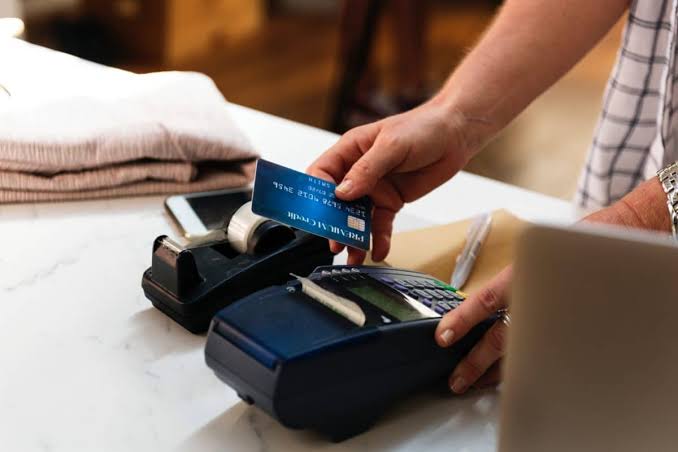
A massive Target Data Breach suddenly has everyone talking about POS System Security. When choosing a POS system, the cost is not always the first consideration. The projected growth of your company, the number of products and services that are going to be handled, and the overall transaction cost are all much bigger considerations than the software price. In recent years Point of Sale software has become available for iPads and Tablets, and there are even players like Square POS which can create an out-of-the-box system that may be ideal for small coffee shops and independent retailers. For other small businesses, medium-sized firms, and enterprise-level operations, more robust solutions are called for. Naturally, it also makes a difference if you are a retailer or a restaurant, and what kind of cash registers you are going to have.

The customer side of the POS is critical when comparing point of sale solutions. In restaurants, the check is going to be delivered to the patron, and food orders will presumably be entered into the system. Back of the house software is going to be used for ordering and tracking supplies and food inventory. Systems like Squirrel POS are often used because the learning curve for wait staff and bartenders is low, so it does not take too much time to get people up to speed in an environment that may have high turnover. Plus, the nature of the restaurant business means that you can hire waiters and servers who already know how to use the system from a prior employer. Meanwhile, in retail, the POS system may even be simpler and driven by checkout via laser scanners. The use of cash-register inputs is often the exception rather than the rule, and all pricing and product information is kept in the system. Scanning guns can also be used to change prices and make inputs into the POS server.
You may also like: Guide For Beginners about POS system hardware
Recently, much of the news surrounding POS terminals involves the fact that 30% of existing systems run on Windows XP, and this software platform has reached end-of-life status, so therefore many store owners could find themselves out of PCI compliance if they can’t patch their terminals. Tablet POS vendors are using this as a sales cue to try and convince people to their terminals, which may have fixed rates for card processing.
Diversity of options
Most of the time, people who open up retail stores are already familiar with a point of sale software brand or vendor. They may also be opening up multiple franchises or can find employees who are up to speed on the more common platforms. Restaurant managers in particular like POS because it replaces a lot of paper ordering and inventory control from the past. In retail, the ability to quantify demand for products, prevent shortages on the shelves, and track shrinkage is common factors in POS success. At the end of the equation is the customer experience at the cash register, where a fast checkout and credit card payment authorization, all of which may go through the same software suite, is going to determine client satisfaction and profitability. A Point of Sale system that is easy to use, easy to set up, provides dashboards to management, and works with a CRM system, are all critical factors in business success. Therefore, whether you are going with a tablet-based POS for a small cupcake shop, or running a multibillion-dollar enterprise with real-time pricing adjustments, your profitability is going to be based on the best system for the money, not the cheapest POS on the shelf.
As more and more systems become obsolete, and big data finds ways to turn POS data into actionable analytics, there are a lot more opportunities for big and small companies.
Types of Point of sale
List of POS Software Vendors and Brands
The list below shows the software vendor as well as the brand of software sold. In some cases, these are the same and the names may be redundant, but in other cases the brand name is different. Furthermore, there are many proprietary brands that are built off common software platforms, but they may be white-labeled or set up so they will only take one payment processor or may only be serviced by authorized resellers of the white-label software, and not the original POS source.
Cyberisol – POS software
BakeSmart POS: BakeSmart POS
Spot POS: Spot POS
Elavon: ViaWarp
Hamilton Manufacturing: E-XACT
Hamilton Manufacturing: Hamilton Credit
iGoFigure: iGoConnect
RICS Software: RICS
Payment Processing Inc: PPI Pay Mover
Versatile Software Systems: For Chiropracters Only
Neill Technologies: Salon Biz
FirstPay.Net: FirstPay.net
CAM Commerce: X-Charge
Microsoft: RMS / Dynamics POS
Chamberlain/PTI: payXpress / webXpress
Interactive Designs, Inc: SalonTouch / SunTouch
PhotoOne: PhotoOne
Mind Body Inc: Mind Body
Multiple Vendors: ChargeITPRO
UNK: XCHARGE
QuickBooks: QuickBooks
Chase Paymentech: Orbital Gateway
Dentrix: PowerPay
R.O. Writer: Shop Management System
RunIT: RunIT
Paywire: Paywire
Trek: Ascend
RO Writer: RO Writer
TransFirst: XLDent (XLCharge)
Avimark:
Prophet: Prophet
Cam Commerce: Retail Star
Vin Now: Vin Now
Dove : Dove Teleflora
Time Magic: Pool House Manager
DRB Systems: DRB Systems
Intravet: Intravet
Extreme Blue: Salon Salon 2
Kodak Dental Systems: Practice Works
CAM Commerce: Retail ICE
LifeSaver: LifeSaver
Secure Net Shop: Secure Net Shop
Akada Software Inc: Dance Works
IQMetrix: Retail IQ
Xcharge: Salon Iris
Cam Commerce: Micro Biz
Resale World.com: Liberty for Consignment
QS1: System One
Point of Success: Point of Success
Point OS: Point OS
Signature Systems: PDQ
Helios: Helios
Storage Management: Storage Management
Ortho II: Viewpoint
Eagle Soft: Eaglesoft
eProcessing Network: eProcessing Network
Activant: Eagle POS
ASI: Restaurant Manager
Microsoft: RMS / Dynamics POS
Cutting Edge Solutions: Future POS
Cutting Edge Solutions: Future POS
PAR Technology Corp: PixelPoint
Action Systems: Restaurant Manager
Celerity Data Inc: Infinity Retail Mgmt System
Vermont Systems: GolfTrac
Yahoo Storefront: Yahoo Storefront
Comcash: Comcash
Positive (A.K.A.Go Positive): Positive (A.K.A.Go Positive)
Diamond Touch POS: Diamond Touch POS
RMS Touch (Not Microsoft RMS): RMS Touch
Radiant Systems: Counterpoint POS
Silver Earth: SE Commerce
Slim CD: Slim CD
Pay Trace: Pay Trace
ADP Lightspeed: ADP Lightspeed
Merchant OS: Merchant OS
TAM Retail: Tam POS
K3 Software Corp: RPOWER
Wand POS: Tender Retail
Focus POS: Focus POS
Retail Pro: Retail Pro
SMD Software: Site Link
Clean Suite: Clean Suite
Gym Assistant: Gym Assistant
R Power: R Power POS
Floral Systems.com: Visual Ticket
IC Verify: IC Verify